
Adding Patients and Exams
Posted on October 23, 2025
Managing patients and exams doesn’t have to feel like solving a puzzle. This week, our EMSOW for the PROs tip is here to make it simple, fast, and stress-free!
Let’s walk you through how to add a patient and exam in the Technologist Portal in just a few clicks.
Here’s How It Works:
1. In the Studies Field, Click Add
2. Enter Patient Data
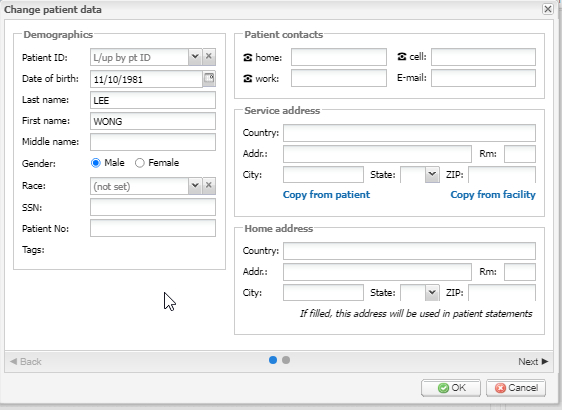
3. Click Next
4. Select Referring Facility
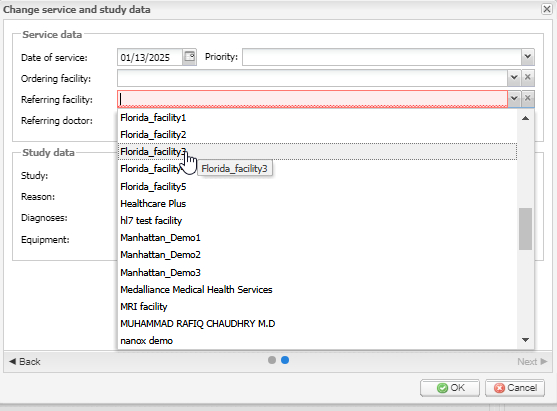
5. Pick the Study
6. Click OK
Need a Little Extra Guidance?
No worries! Our EMSOW Academy video is here to help. It’s a quick, visual guide that’ll have you adding patients like a pro in no time! 🎥
Your new patient and exam are now securely stored in EMSOW’s HIPAA-compliant cloud storage, keeping everything organized and accessible when you need it most.
Need assistance? Our Support Team is here to help you every step of the way.