
How to Download Images from EMSOW
Posted on April 3, 2026
For many doctors, having uninterrupted access to medical studies is crucial—even when the internet isn’t available. With EMSOW, you can download images directly from our platform in just a few clicks, ensuring you always have the data you need.
How to download images from EMSOW
1️⃣ Click Portals > Technologist portal
2️⃣ Select the data
3️⃣ Click Search
4️⃣ Select the desired study
5️⃣ Click Pack

6️⃣ Set up settings
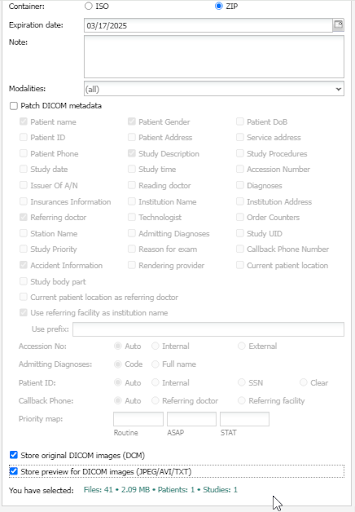
7️⃣ Click OK
8️⃣ As soon as the pack will be done, click the link.
Need help?
Our EMSOW Academy is open for you! Click the link to watch the video tutorial.
Optimize your radiology workflow with EMSOW! Whether you’re managing DICOM images, PACS storage, teleradiology services, or medical billing, our cloud-based platform simplifies your daily operations.