
EMSOW for the Pros: How to Share Images with Ease!
Posted on December 3, 2025
Welcome to this week’s edition of EMSOW for the PROs, where we tackle common challenges and share tips to streamline your workflow. Today, we’re focusing on a powerful tool: sharing images with another contact. Whether it’s collaborating with a referring physician or providing access to important studies, EMSOW makes the process simple and secure.
Here’s How to Share Images
- Open the Physician Portal. Go to Portals > Physician Portal.
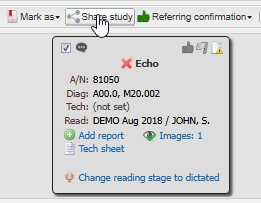
- Find and select the studies you’d like to share.
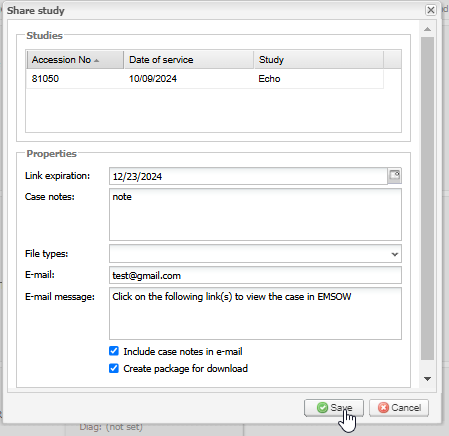
- Click Share Studies
- Click Save
We also have a short video from our EMSOW Academy to guide you through the process.
EMSOW ensures that sharing diagnostic images is fast, secure, and compliant with regulations like HIPAA. If you need further assistance, don’t hesitate to reach out to our Support Team—they’re here to help!
Stay tuned for more EMSOW for the PROs tips to keep your workflows efficient and stress-free.